MANSA
Course 1: Building with AI, as a developer
Students, young graduates and early-career developers who want to work with an AI assistant, not just try it.
What you will be able to do
- A working local development environment, with an AI coding assistant installed and pointed at a real project
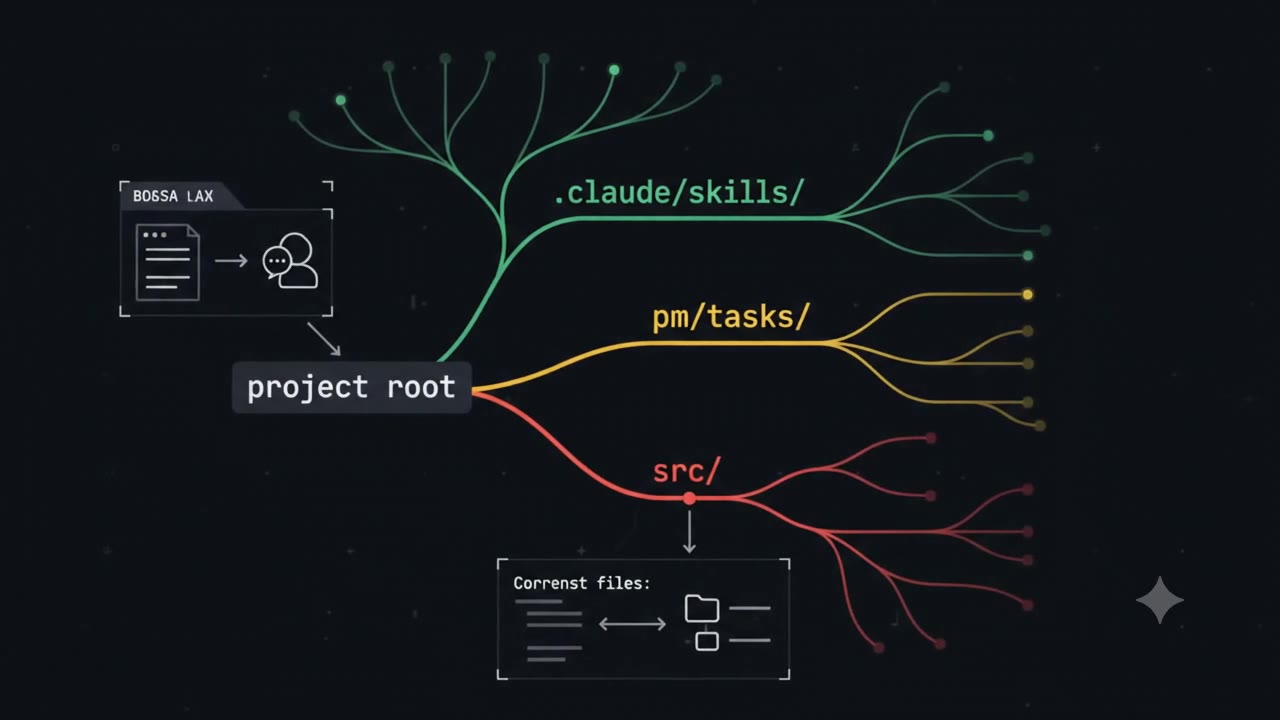
- A clear mental model of how an AI-assisted project is organised — three schemas you will reuse on every project
- Built a small but real AI-driven web application yourself, with your assistant, from an empty starter to a working app
Modules
First contact
Not startedBefore any lesson, open a chat with the AI and ask it eight simple questions, one at a time. For newcomers this is essential; for experienced people, we still recommend it. The point is not to learn facts. It is to get comfortable: to see what the AI is, what it is not, and how it talks.
Primer: converse, don't just prompt
Not unlockedUnderstand the one mindset shift the whole course is built on, and the four ideas that make an AI assistant useful on real work — conversation, skills, a shared memory folder, and a habit of improving after every task.
- The intention
- Learn to converse, not just prompt
- Know its skills
- Know the pm/tasks folder
- The improvement loop
- The work cycle you'll use
Environment setup
Not unlockedInstall the tools, sign in to your AI assistant, get the course project running on your machine, and point your assistant at it.
- What you need
- Install
- Sign in to your assistant
- Get the course project running
- Point your assistant at the project
The three AI schemas
Not unlockedLearn the three schemas that every AI-assisted project ends up needing once it goes past "one prompt in a chat window": where things live (the tree), how a change moves (the workflow), and how the system improves itself (the cycle).
- The tree — where things live
- The workflow — how a change moves
- The cycle — how the system improves itself
Build the demo app with your AI assistant
Not unlockedStarting from the almost-empty starter, build a small AI-driven web app with your assistant, following the workflow from Module 02, phase by phase. You already ran the finished version in Module 01; now you make your own.
- The use case
- How it works
- Build it, phase by phase
- Compare with the reference build
Homework & closing project
LockedExtend your app on your own, then close the course the way every task should close: with a look back.
- Homework — pick one
- Closing project
- Annex — If you come from microservices